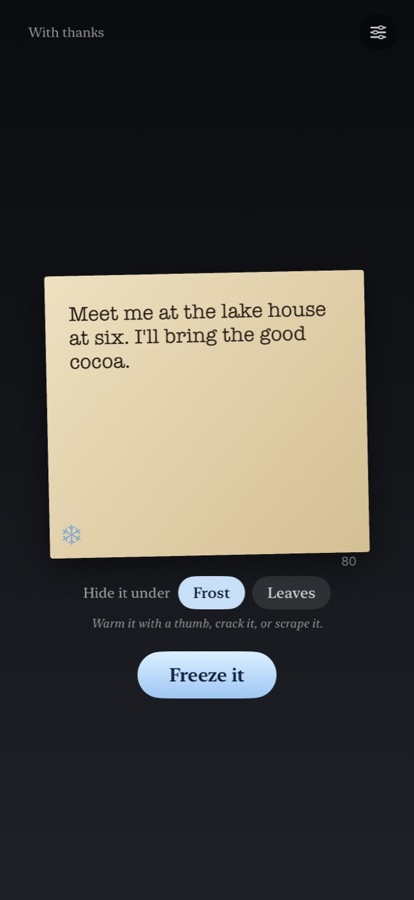
Want to thaw a note? Thaw is free on TestFlight: write up to 140 characters, freeze them under frost or leaves, and warm the glass with a thumb until the words come through. Join the beta (version 1.0 (3); this invitation is good through January 19, 2027).
Thaw is for iPhone. On iPhone Duo, the card sits on one screen and the choosing on the other.
A note stuck under the ice? Start here.
How do I send a note?
Open Thaw, write up to 140 characters on the card and tap Freeze it. With the Leaves cover picked, the button says Bury it. Tap the share button, and Thaw hands your iPhone's share sheet a picture of the frozen note and a link. Send them in Messages, Mail or anywhere else.
How do I open a note someone sent me?
Open the link on an iPhone that has Thaw installed, and Thaw opens on that note, frozen. Thaw has to be installed: the link only opens in Thaw.
How do I thaw it?
Three ways, and any of them works on frost.
- Warm it. Hold a thumb still on the glass and the frost melts in a soft circle. Lift off and it creeps back from the edges, so keep at it.
- Crack it. Tap the ice and it splinters. Pieces that close up fall away when you tip the phone.
- Scrape it. Swipe fast and firm across the glass to clear a band. A slow drag only warms.
When most of the words are clear, the fog lifts, two soft notes ring, your phone gives a small tap and the words come through. Tilt the phone and the meltwater runs downhill.
What are the Leaves?
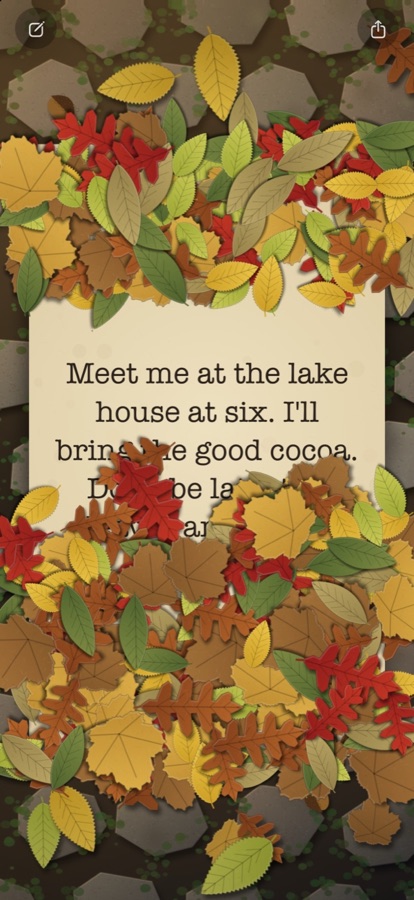
From October 15 to November 30, the write screen offers a second cover. Your note is buried under cut-paper leaves, and the person who gets it sweeps them away with a finger. An acorn or a small beetle sometimes turns up underneath.
Can I put a note on my Home Screen?
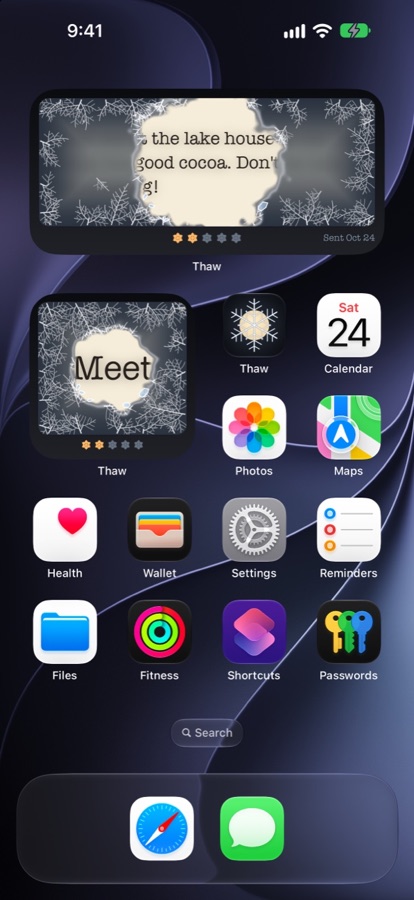
Yes. Long-press the Home Screen, tap the plus button and choose Thaw. The widget shows the newest note you opened from a link, under frost. Tap it to warm it: five taps thaw it, and the frost grows back by itself, about one stage every two hours. Once it is thawed, a tap opens the app. The Lock Screen widgets never show the words, and the Home Screen widget shows the note frozen whenever iOS hides private content.
Who can read my note?
Anyone who has the link. The words travel inside the link, so share it only with people you want to read it. Thaw keeps no copy on any server.
Does Thaw need an account or the internet?
No. There are no accounts, and the app never connects to the internet. Nothing is sent unless you choose where to send it.
Can I turn the sound or the haptics off?
Yes. On the write screen, tap the small options button. Sound and haptics each have a switch. The same screen has With thanks, where the frost, the leaves and the type are credited.
Does it work on iPad or Apple Watch?
Thaw is made for iPhone. It has no iPad or Apple Watch version.
Contact
Found a bug, a note that would not thaw, or an idea? Email studio@releaf.site.