

WAYPOINT
A tiny hiking game you steer with your own body.
Turn to aim. Step to explore. Reach the summit.
Want to hike a trail with your wrist? Waypoint is free on TestFlight: turn to aim, step, and reach the summit. Join the beta (version 1.0 (9); this invitation is good through January 11, 2027).
This build, tell us about: Hike one trail with sound on: does any sound feel too loud, too often, or wrong for what you did? · Check that the hiker faces where the top of your phone points. · On iPhone Duo: does Waypoint fill every screen, and does the compass follow when it turns?
Works on Apple Watch and iPhone, and plays fully on Apple Watch with no iPhone needed. On iPhone Duo it fills both screens.
HOW TO HIKE
Turn your body
Your compass aims the hiker in any of eight directions, diagonals included.
Take a step
One click of the Digital Crown on Apple Watch, or one tap on iPhone, is one step.
Find the way up
Stay on the trail, mind the creeks, and find the shortest route to the summit.
FROM FOREST TO SNOWFIELD



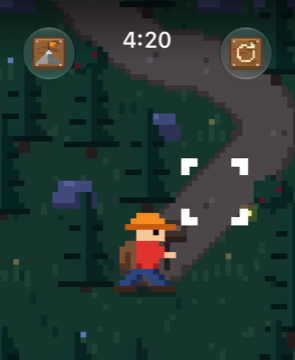
- 31 trails, from pine forest to snowy summit, and on to Austin's Lady Bird Lake
- Plays fully on Apple Watch, no iPhone needed
- Steer by turning, with real compass aiming
- Haptics for every step, splash and summit
- No accounts, ads or tracking